That's it! You did it!
Imgbot is starting to work on your first pull requests now.
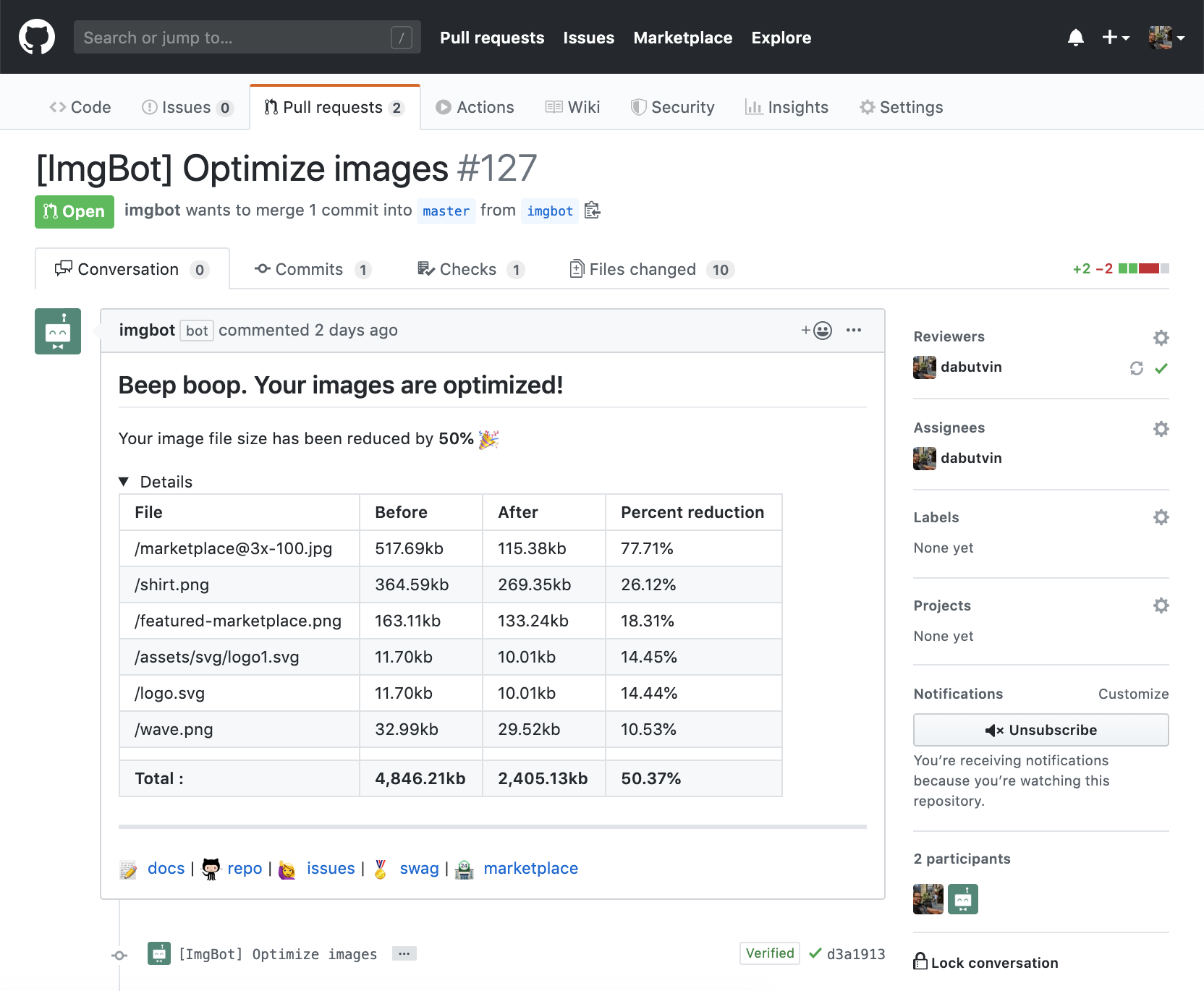
Install Imgbot from the GitHub marketplace into your projects with the click of a button.

Imgbot will send you your first pull request optimizing all of the images that it can find.

Imgbot watches for new images in your repository and opens more pull requests.
You've just installed Imgbot into your GitHub repo. Good job!
Imgbot is working hard on optimizing your images and will be around soon with a pull request just for you. After this first pull request is merged, Imgbot will come back around and do further optimizations as needed.
Here are some useful links while you wait for your first pull request.